
 en
en


15-04-2020
Go for a fun background in Teams
From today it is possible to choose a different background in Teams. It was already possible to "blur" your background, but now you can also choose a beautiful beach, a business environment or, for example, surrounded by balloons. A nice new feature we don't want to keep from you.
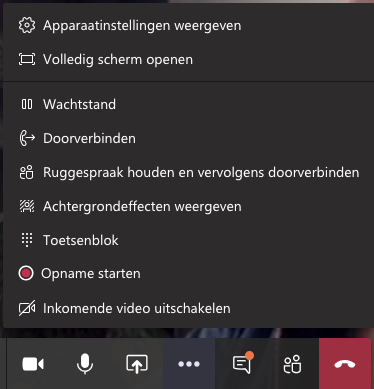
Setting your new background? Within your conversation, go to the three dots in the middle of the menu bar and choose "show background effects."
Now select the background you want to use.
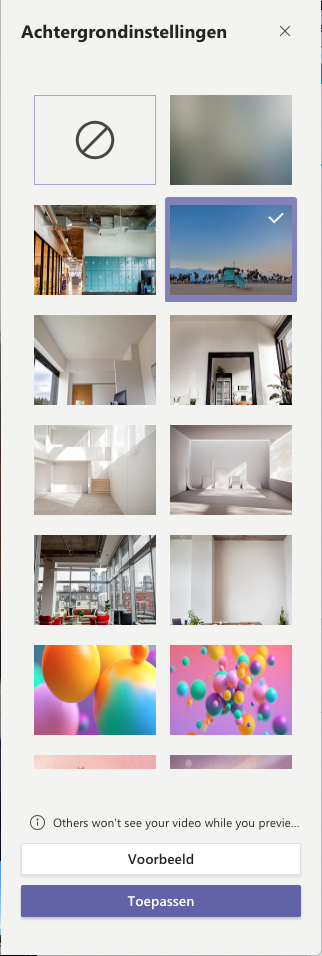
Update: you can now also set your own background. You can add a business logo to this one, for example.
Our specialists will be happy to help you
Encis is your IT partner, providing, installing, and managing your IT infrastructure, communication services, and applications.
Want to explore the possibilities? Get in touch.
Contact
